



After one Shopify store triggers human verification, the operator's first reaction is usually to change the browser fingerprint. But association troubleshooting cannot rely on guessing; you need to check layer by layer in the order given in the title: first see whether the browser fingerprint is duplicated across stores, then check whether Cookies and local storage have been copied, and finally verify whether the dedicated IP and network egress are shared by multiple stores. If the order is wrong, it is easy to delete the clues.
Inspection order in this article:Browser fingerprint and device parameters → Cookies and local storage → dedicated IP and network egress → account identity and operational behavior. The first three layers are environmental layers and can be verified on the local machine; the fourth layer involves data and personnel, and needs to be handled in accordance with platform rules. For settings involving Shopify store members and permissions, refer to Shopify official help center for the instructions.
First Step: How to Check Browser Fingerprints and Device Parameters
Fingerprints are placed first because they are most easily carried over completely when copying a profile, while operators often only change the IP. The key check is 'whether it is duplicated across stores,' not 'whether the disguise looks convincing.'
- Compare each profile item by item across UA, Canvas, WebGL, font list, time zone, language, screen resolution, hardware concurrency, and device memory.
- The most common mistake is copying a profile and only changing the IP: the hardware-level parameters are completely identical, which is equivalent to turning one device into a shared variable for multiple stores.
- The second most common mistake is a fingerprint that contradicts the exit region: the exit is in the United States, but the time zone says Asia/Shanghai and the only language is zh-CN.
- Do not use an ordinary browser to log in to multiple Shopify stores on the same device; the number of windows does not equal environment isolation.
- Judgment criteria:The same metric must not repeat across multiple stores, and each set of parameters must be internally consistent; pursuing a "higher disguise score" is meaningless.
Copying a profile and only changing the IP is the most common point of failure when running multiple stores,The stage most prone to problems when running 5 stores at the same timecontains the corresponding troubleshooting path.
Step Two: How to check for cookie and local storage remnants
Once the fingerprint check is done, look at login state next. Cookies are easier to copy than fingerprints, and the copying is often unintentional: exporting the profile from store A and importing it into store B, or logging into multiple store backends one after another in the same regular browser.
- Each Shopify store must be bound to an independent browser profile, and login state must not be used across profiles.
- Check whether cookies from one profile have ever been exported and imported into another, especially after changing computers, a handover, or a backup restore.
- The cleanup scope must cover Cookie, LocalStorage, IndexedDB, and Service Worker cache, as well as passwords and autofill saved in the browser; deleting only Cookie often leaves other residue behind.
- Extensions are a common hidden sharing point: login sync, password management, and translation extensions send backend data back to the same extension account, so in multi-store scenarios it is recommended to disable them per profile.
- Minimal remediation actions:Disable the profile corresponding to that store, delete its local data and extension data, log in once again with a clean profile, and do not import any historical data.

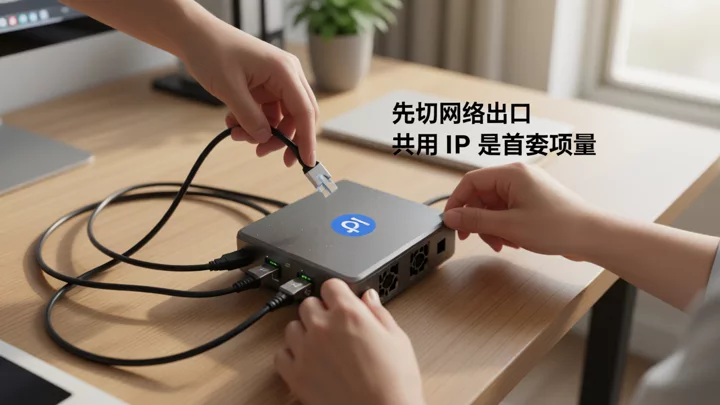
Third step: How to check independent IPs and network egress
Network egress is the last step of the environment layer. Egress IP is the only variable where 'being used by two stores at the same time is certain to generate a correlation signal', but it is verified after fingerprints and Cookie because changing the IP is the easiest way to mask the local residue mentioned above.
- Record first; do not change it yet.Copy down the exit IP, ASN, exit region, system time zone, DNS resolution results, and WebRTC exposed address currently used by each store, item by item. If there is no comparison table, switching proxies is equivalent to actively deleting clues.
- Check for reuse.If the same exit IP appears in two or more stores, it is a first-level risk; if multiple stores densely appear in the same C segment (for example, /24), it is a second-level risk, and further confirmation is needed as to whether they come from the same service provider pool.
- Check for drift.Count the number of changes to each store's exit IP within 7 days. Getting a new IP on every login is not "safer"; frequent IP hopping is itself an anomalous characteristic.
- Check for conflicts.If an account is registered in the United States, its exit is in Southeast Asia, and its system time zone is UTC+8, and these three do not match each other, then even if the IP is independent, it does not constitute a clean environment. At minimum, ensure that the time zone, language, and exit region are consistent.
- Remediation order.Disable shared exits → Assign a fixed, independent exit to each store → Align the browser time zone with the exit region → Then observe whether the platform continues to trigger verification.
For the specific configuration standards for four-layer isolation, refer to4 Key Environment Isolation Points for E-commerce Multi-Account Managementfor its determination methods.
| Inspection Layer | Pass Criteria | Common Residual Traces | Priority Remediation Actions |
|---|---|---|---|
| Browser Fingerprint | Key parameters are not duplicated across stores and are consistent with the exit region | Copying a profile and only changing the IP | Rebuild an independent fingerprint environment for each store |
| Cookies and Local Storage | Login state exists only in its associated profile, with no cross-profile import | Cookie backup import; sync plugins reporting back | Delete the profile and rebuild the login state |
| Dedicated IP and Network Egress | One fixed egress per store, consistent region and time zone, no WebRTC leaks. | Two stores share the same egress; the IP changes frequently. | Disable the shared egress and reassign fixed IPs. |
Fourth Step: Account Identity, Operational Behavior, and Team Collaboration
After the environment is clean, look at the profile layer next. Email addresses, phone numbers, payment receiving accounts, return addresses, invoicing entities, customer service scripts, and login cadence are not things a browser can isolate. When two Shopify stores share the same payment receiving account, no matter how clean the environment is, the profile-layer association still exists.
The same applies to team collaboration. Employee accounts should be assigned by store or business line, rather than one account managing all stores. Set permission scopes according to Shopify's official documentation on store members and permissions; when multiple people log in with one shared admin account, different people's operating rhythms are layered onto the same identity. For specific division-of-labor boundaries, refer toAccount Isolation and Team Collaboration in Multi-Store Operations, and for a more complete account matrix permission solution, seeMulti-Account Management Topic.
Minimum Remediation Order and 7-Day Retest Checklist
After troubleshooting, don't tear everything down and redo it all at once. Make changes in the order below, and observe the platform's response after each layer you change.
- Rebuild the fingerprint environment per store, and verify that the time zone, language, and exit region are consistent; for selection and configuration methods, seeHow to choose and use a fingerprint browser.
- Delete the suspicious profile along with its cookies, local storage, and plugin data, then rebuild the login state.
- Disable all exit IPs shared across stores, and bind a fixed, dedicated exit to each store.
- Separate the data layer: one set each of email, phone number, payment account, and return address per store.
- Assign employee permissions per store, and avoid multiple people sharing the same backend account.
Over the next 7 days, observe five metrics: the frequency of human verification at login, the types of platform email notifications, payment and withdrawal reviews, backend rate-limit prompts, and order anomaly flags. If the first three layers have been fixed but verification still keeps recurring, the problem is more likely in the data layer or platform-side policies. In that case, rely on account notifications and official policies; continuing to change fingerprints will not yield benefits.
Frequently Asked Questions
If I only change to a dedicated IP and don't clear cookies, will I still be associated?
Yes. IP and cookies are two independent types of variables; changing the exit only solves network-layer reuse. If the new IP still carries a login state imported from another store's profile, the environment layer is still shared, and this step cannot be skipped in the troubleshooting sequence.
Does logging in to multiple Shopify stores on the same computer necessarily link them?
That cannot be asserted. A single signal alone is usually not enough to serve as a basis for action; the platform evaluates multiple categories of signals, including network, environment, information, and behavior. However, logging in to multiple admin panels sequentially on the same device using the same regular browser causes them to share cookies, local storage, and hardware-level fingerprint parameters at the same time, making this a shared variable that should be eliminated first.
How should you choose between residential IPs and data center IPs for multiple Shopify accounts?
The basis for the decision is not the type label, but stability, regional consistency, and whether the IP is reused by multiple stores. Residential IPs are closer to the egress characteristics of ordinary users, while data center IPs are more common in bulk scenarios. Whichever you choose, a fixed egress for each store, matching the region to the account registration location, and not cross-using it with other stores—these three points are more important than the IP type.
Do Shopify staff accounts need to be separated by store?
It is recommended to separate them by store or business line, and grant only the permission scope required for that store. When multiple people share the same admin account, operation records and login environments are mixed under the same identity, and when issues arise, it is difficult to determine who made the change. For specific member and permission settings, refer to the instructions in Shopify's official Help Center.