



At 9:15 AM on Tuesday, three members of the operations team simultaneously open 5 TikTok Shop dashboards and 2 Temu stores. The product selection team is running their third round of data re-screening, and the logistics team has just finished processing a batch of FBA return tickets. 12 people, 11 cross-border e-commerce stores, 5 platforms—this is not an idealized demo; it is our actual pace from last Tuesday. Below, I break down the tool stack by role, with a focus on how tools hand off at each stage, how multi-store logins are isolated, and where pitfalls are most likely to occur.
Tuesday morning standup: division of work across 12 people, 11 stores, and 5 platforms
The team is fixed at four groups: 3 in product selection (responsible for data collection, competitor monitoring, and trend analysis), 4 in operations (managing multi-store logins, listing, and advertising), 3 in logistics (domestic warehouse, first-mile, and overseas warehouse coordination), and 2 in data (compiling full-chain reports). The 11 stores span Amazon, TikTok Shop, Temu, Shopee, and independent sites, with 4 on TikTok Shop, 3 on Amazon, 2 on Temu, and 1 each on the remaining platforms. The morning standup lasts 15 minutes and covers only exceptions: SKUs with a sudden spike in return rate, stores hit with traffic throttling, and delayed first-mile batches. Normal nodes do not make it onto the agenda.
Product selection side: tool pools monitored by each of the 3 members
Product selection is not one person pulling the full dataset and then distributing it; instead, three people split by platform, and tools hand off to each other via trigger conditions:
- Data collector (1 person):Every day before 9:00, complete the category ranking scrape for Amazon and TikTok, exporting results to a shared spreadsheet using a fixed script. The trigger condition for handing off to the next person is an SKU that has risen more than 20 positions in ranking for 3 consecutive days—not simply looking at absolute values.
- Competitor Monitor (1 person):Track price changes, review growth rates, and ad slot share for target SKUs. Tools vary by platform—Amazon focuses on shifts in the search intent chain, TikTok on content momentum (conversion rates from short videos with embedded links), Temu on fluctuations in the platform pricing chain. The input conditions for these three decision chains are entirely different and cannot share a single scoring sheet. For the detailed breakdown logic, seeComparison of Product Selection Logic Across Amazon, TikTok, and Temu.
- Trend Assessor (1 person):Run a re-screening pass every Tuesday and Friday, merging the outputs of the two roles above and cutting items with overly short lifecycles. The re-screening criteria are not single-metric thresholds but rather category competition density and logistics compatibility (whether existing first-mile routes can accommodate them).
The three roles' tool pools do not overlap: the collector uses crawlers and APIs, the monitor uses each platform's admin dashboard plus third-party ranking tools, and the trend assessor primarily reviews the merged spreadsheets and freight forwarder quotes. One person can track at most 3 platforms simultaneously; anything beyond that gets handed off to the next person, so the choice of multi-store operational tools doesn't end up as "everyone can use it but no one is proficient at it."

Multi-store layer: How 11 stores are distributed across 5 browser instances
11 stores don't mean 11 browser windows. Our allocation principle segments environments by risk-control detection dimensions: stores on the same platform, under the same legal entity, and within the same proxy egress IP pool can share one fingerprint browser instance; cross-platform or different-entity stores must have independent instances. In practice, that works out to 5 instances—TikTok: 4 stores split across 2 instances (divided by marketplace), Amazon: 3 stores on 1 instance, Temu: 2 stores on 1 instance, standalone stores: 1 instance. Each instance is paired with a dedicated proxy egress, with Cookie domains and local storage fully isolated.
On the permissions front, the 4 operations team members each correspond to 2-3 instances; login credentials and proxy configurations are documented internally so no single person controls everything. The switching cost of multi-store logins is mitigated byMulti-Account Isolation Configuration and Team Collaboration Permission Schemeto control; the core is managing shared variables (device fingerprints, IP ranges, login behavior patterns) rather than the account count itself. For specific configuration standards, refer toTemu Multi-Store Compliance Boundaries and Isolation Configuration.
Multi-store operation tools address environment isolation efficiency; they do not replace compliance credentials, genuine operational data, or stable network egress. Two common pitfalls: first, the proxy IP pool reuse cycle is too short, so the same egress IP is polled by two instances within the cooldown period, triggering platform environment anomaly flags; second, teams mistakenly equate "different fingerprints" with "passing risk control," when in reality platform detection dimensions go far beyond fingerprints, including behavior patterns and financial transaction chains. Teams are advised to run a full-instance environment comparison every two weeks, focusing on whether proxy egress windows overlap.
Logistics and After-Sales: 4 Nodes from ERP to FBA Returns
A 3-person logistics team manages the entire chain; each node uses different tools and integration methods, and data feedback and exception-triggering rules are the key to collaboration:
- Domestic Warehouse:Use ERP to manage inventory and picking uniformly. The trigger condition is an automatic alert when order volume exceeds 80% of the daily processing cap; the logistics team arranges additional warehousing 48 hours in advance. Exception rule: when the SKU stockout rate exceeds 5% for 2 consecutive days, the product selection team simultaneously downweights that SKU.
- First Leg:Routes are split into 2-3 lanes by destination country (fast shipping / air / rail), using each carrier's tracking system plus a unified export sheet. Trigger rule: if any batch is delayed beyond 72 hours, the operations team pauses new listings on that platform to avoid stockouts.
- Overseas Warehouse / FBA:Amazon uses FBA, while other platforms rely on third-party overseas warehouses. FBA returns are handled through the return management module in Amazon's seller backend, and third-party warehouse returns go through a ticket system. Data between nodes is synced via a once-daily inventory snapshot to a shared table, which the data team uses to generate reports.
- Last-Mile Delivery and After-Sales Service:Last-mile tracking uses each platform's built-in logistics tracking, and after-sales tickets are centralized on a single board sorted by priority. Trigger rule: when the same SKU's return rate exceeds 15% within 7 days, it is automatically flagged in red, and the product selection team must provide a disposition recommendation (revise listings, switch suppliers, or delist) within 48 hours.
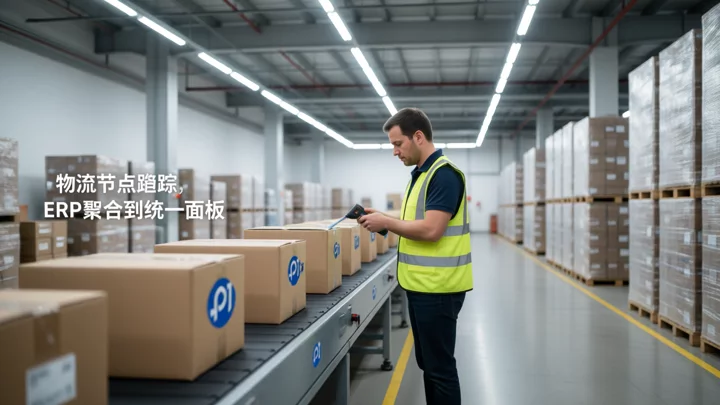
Cross-platform orders are not viewed separately in each platform's backend; instead, they are aggregated into a single dashboard via ERP, so the logistics team only works with one interface. For how to connect advertising data and logistics data at the account matrix level, refer tothe batch operations and data aggregation workflow in multi-account matrix management.
Monthly Expenditure Structure and the Collaboration Ceiling
The monthly tool expenditure for a 12-person team roughly breaks down into three blocks: SaaS (ERP, overseas warehouse systems, advertising management) accounts for about half of total tool spend; proxy IPs and fingerprint browser environments (including instance maintenance for multi-store logins) make up roughly three tenths; and logistics tracking and customer service tools cover the remaining two tenths. The exact figures fluctuate with the number of platforms and SKUs, so no fixed amount is given here, because the expenditure curve is not linear as stores scale.
Deciding when to swap tools or add headcount: it is not about whether the budget is sufficient, but about collaboration bottlenecks. Currently, 12 people manage 11 stores, and each operations team member simultaneously managing 2-3 instances is already near the limit of behavioral rhythm management—the higher the switching frequency between multi-store logins, the shorter the online duration per instance, and the higher the probability of the platform flagging "abnormal activity." If scaling to 20 people managing 20 stores, the first wall you hit is usually not the tool itself, but the egress capacity and cooldown cycles of the proxy IP pool. Before expanding headcount, it is recommended to re-audit the environment isolation configuration of the multi-store management tool rather than simply adding instances.
Frequently Asked Questions
How do you determine the number of browser instances for a 12-person team managing 11 stores?
It is not set by store count but by risk-control detection dimensions: stores on the same platform under the same legal entity can share an instance, while cross-platform stores or those under different legal entities must each have their own. Our 11 stores ultimately required 5 instances. The key is that proxy exits do not overlap and each login behavior pattern remains independent.
What does each of the three people in the product-selection team handle, and will they end up pulling overlapping data?
The workflow is designed as a relay, not an overlap: the collector produces only the raw rankings, the monitor steps in only after the collector's trigger conditions are met, and the trend analyst performs the final back-screening. The three people's tool pools do not cross; one person monitors at most 3 platforms, and beyond that the workload is reassigned.
Can multi-store operation tools guarantee that your stores won't be banned?
No. Store management tools address environment-isolation efficiency, reducing the association risk caused by shared Cookies and device parameters, but they do not replace compliance credentials, genuine operations, or a stable network. Platform detection dimensions go far beyond fingerprints; specific enforcement is governed by account notifications and official policy.
How do you get a full view of all logistics-node data on a single dashboard?
We use an ERP for order aggregation. Each carrier's tracking data is exported daily into a unified spreadsheet. Overseas warehouses and FBA returns run through their respective systems, but inventory snapshots sync daily. The logistics team watches only the aggregated dashboard; anomalies are automatically flagged in red by threshold rules, so there is no order-by-order manual checking.