



A team was running 6 Temu store backends simultaneously in a sandbox browser. On day five, four stores received device-correlation alerts at the same time. Log review revealed: all six windows shared the same Canvas rendering fingerprint and WebGL parameters. Although each had a different proxy exit, the fingerprint layer was completely identical. The problem wasn't that the sandbox was "not secure enough"—it's that a sandbox simply doesn't handle the identity layer. It governs whether a process can write to system files, not whether the fingerprints a browser exposes externally are shared. The fundamental divergence between these two tool categories was set from day one of the architecture.
The Fundamental Divergence in Isolation Principles: Identity Layer vs. Execution Layer
Fingerprint browsers operate at theidentity layer: each independent window generates its own Canvas noise, WebGL vendor/renderer, UA string, timezone, cookie domain, and local storage, and binds to a dedicated proxy exit. The goal is to have the target platform recognize each window as a distinct physical device.
Sandbox browsers operate at theexecution layer: The OS sandbox restricts process file writes via a whitelist, prohibits child process creation, isolates memory spaces, and routes all network egress through the host for unified control. The goal is to prevent lateral spread of malicious code and protect host system integrity.
Key boundary: the sandbox does not alter the fingerprint parameters exposed by the browser; the fingerprint browser does not restrict process system calls. If you need to understand the full set of identification dimensions for browser fingerprints, you can readWhat Is a Fingerprint Browser? A Complete Breakdown from Fingerprinting Principles to Multi-Account Isolation.
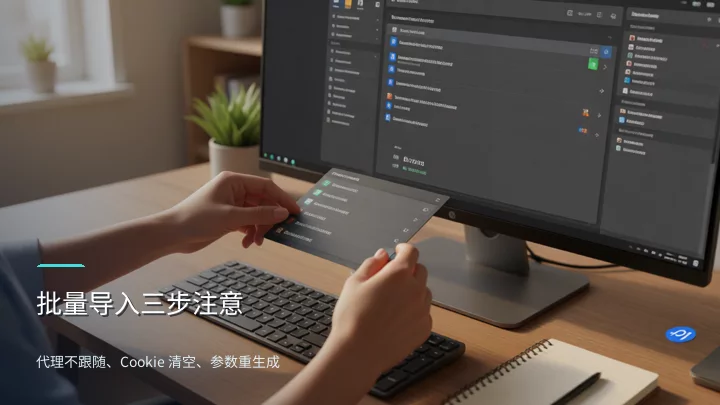
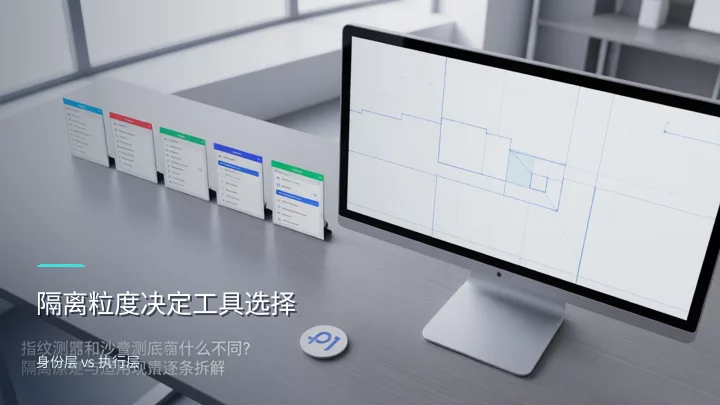
Evaluate four scenarios one by one: which should you use
- Multi-platform e-commerce account matrix (3–8 store dashboards) → fingerprint browser.The cost of choosing wrong: a sandbox does not isolate fingerprints. Platform risk-control systems perform correlation detection along device-fingerprint dimensions, and multiple accounts sharing the same Canvas/WebGL parameters will trigger a link. For specific isolation configuration standards, refer toAccount Isolation and Team Collaboration in Multi-Store Operations.
- Testing unaudited browser extensions or third-party scripts → sandboxed browser.Cost of choosing wrong: A fingerprint browser does not restrict process permissions; a malicious extension can write to the host file system or spawn child processes. The sandbox's file whitelist and child-process interception are essential.
- Large-scale geographically distributed scraping (each IP maps to a unique identity) → fingerprint browser.Cost of choosing wrong: The sandbox's network egress is uniformly controlled by the host, making it impossible to achieve the mapping of "one proxy IP bound to one independent fingerprint."
- Running unattended screenshots / automated login tests in a CI pipeline → sandboxed browser.Cost of choosing wrong: A fingerprint browser's per-window independent rendering engine increases CI resource consumption; the sandbox's process isolation ensures a test crash does not affect the build node.
The high scores in e-commerce and scraping scenarios indicate that identity-layer isolation is a hard requirement, and sandboxes are structurally absent in these types of scenarios. Conversely, execution-layer needs (process security, resource isolation) scored extremely low in the first two scenarios, which fingerprint browsers do not need to address.
Can a sandbox and a fingerprint browser be used together?
Yes. A typical setup uses the sandbox as the outer layer (restricting process permissions, isolating the file system) and the fingerprint browser as the inner layer (isolating identity parameters). In CI scenarios, the sandbox ensures that a test crash does not affect the build node; the fingerprint browser ensures that each test case has an independent browser identity. For the complete configuration checklist of this stacked setup in a multi-account TikTok Shop scenario, seeHow to avoid environment issues in multi-account TikTok Shop operations? An introduction to browser isolation solutions.
FAQ
Can a sandboxed browser replace a fingerprint browser for multi-store operations?
No. A sandbox isolates process execution permissions; it does not alter browser fingerprints. The identity-layer isolation required for multi-store operations (independent Canvas, cookie domains, proxy mappings) must be achieved with a fingerprint browser. The two can be stacked together, but a sandbox alone cannot replace a fingerprint browser.
How many fingerprint windows can a single computer safely run at the same time?
It depends on your CPU and memory. Each window has its own independent rendering engine. With 16GB of RAM, keep it to no more than 8–10 windows. If you need more, add machines rather than windows to avoid OOM crashes that leave fingerprint states inconsistent across windows.
Can a fingerprint browser and a VPN be used together?
We don't recommend nesting a VPN inside a fingerprint window. The fingerprint browser is already bound to a proxy exit; layering a VPN on top makes the exit IP and proxy IP mismatch, creating a fingerprint conflict. If you must use one, make sure the VPN exit IP and the proxy IP fall within the same geographic region.
After exporting a config group to another computer, can the proxy settings be reused directly?
No. Proxy fields are not included in the import by default. The target machine must fill in its own available proxy address, and that proxy's geographic region must match the time zone specified in the configuration.